
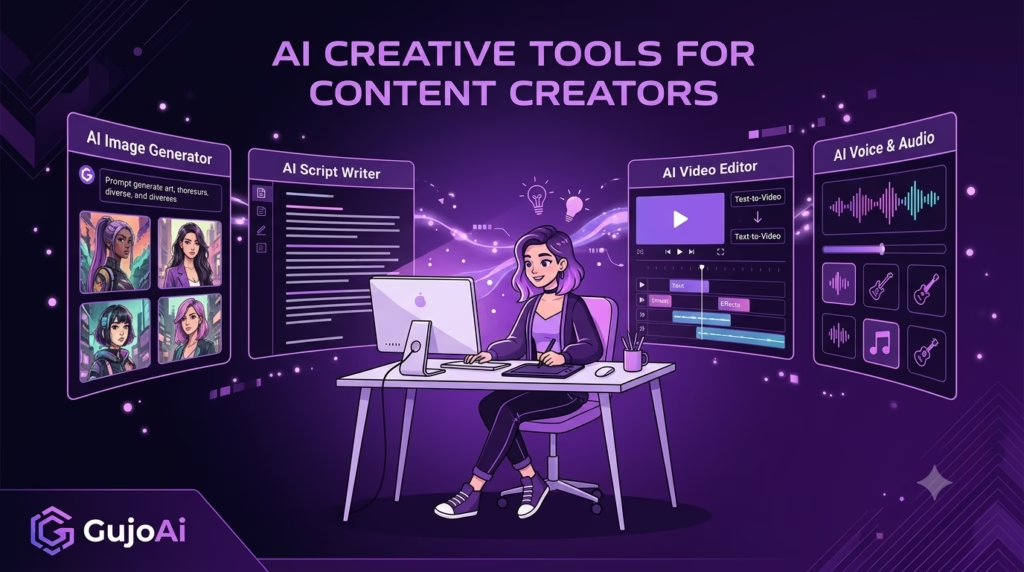
Best AI Creative Tools for Content Creators in 2026
The best AI creative tools for content creators in 2026 are not one “perfect” app. They are a small set of tools that solve specific production problems: generating a visual, transforming a photo, removing a background, improving resolution, developing a sketch, previewing an appearance and creating narration.
What Are AI Creative Tools?
Start with the slowest part of your current workflow and add one tool that reduces that bottleneck without removing your final review. GujoAi groups anime and image creation, photo editing, enhancement, text to speech and virtual-influencer concepts in one creator-focused platform. This guide compares the main tool categories, explains what each is good at and gives you a practical workflow for turning an idea into publishable content while protecting accuracy, originality and audience trust.
AI creative tools are applications that help people generate, transform, enhance or organise visual and audio content using machine-learning models. They can begin with a text prompt, photo, sketch, script or existing asset.
The word “creative” covers several different jobs. A text-to-image model creates a new visual from a description. A background remover isolates a subject. An image upscaler enlarges a file. Text to speech turns a script into audio. Calling all of these “AI generators” hides the practical differences.
The most useful way to think about them is as stages in a production line: define the idea, generate or capture an asset, transform it, finish the file, add audio and accessibility, then publish and measure.
AI can accelerate stages two through five. It does not decide whether the idea is worth publishing or whether the final content represents a brand honestly. Those remain human responsibilities.
Creators who benefit include social-media managers, anime fans, artists, students, freelancers, educators and small teams. The goal is not to use AI everywhere. It is to reduce repetitive work and create more time for direction, editing and audience understanding.
Which AI Tool Categories Matter Most in 2026?
Choose the category that matches the input you already have and the output you need.
Text-to-image and anime image generation
An AI image creator turns a written prompt into a visual. It is useful for concepts, thumbnails, mood boards, scene ideas and original anime-inspired artwork. Prompt structure, aspect ratio and careful detail review determine whether the output becomes usable.
Use it when you have an idea but no source image. Do not use generated text inside an image for facts, prices or a critical headline; add real typography later.
Photo-to-anime conversion
Photo-to-anime AI uses an uploaded portrait, pet photo or scene as guidance. It can create avatars and social visuals while retaining part of the original composition. A clear source and identity review matter because facial details and accessories can change.
Background removal
An AI background remover creates a cutout for product images, profile pictures, thumbnails and composites. It saves manual selection time, but hair, fur, glass and soft shadows need inspection.
Image upscaling and enhancement
An upscaler increases pixel dimensions and predicts cleaner edges or texture. A drawing enhancer may clean a sketch, strengthen lines or develop an early concept. These tools are useful near the end of a workflow, after the design is correct.
Appearance and hair-colour previews
An AI hair colour changer creates virtual variations for personal planning, character development and creator content. It should preserve the face, hair texture and lighting while changing the chosen area.
Text to speech and AI voice
TTS turns a script into narration for reels, explainers, lessons and character concepts. Good results begin with a speakable script and pronunciation review. Captions and transcripts remain important.
AI virtual-influencer creation
A virtual-influencer tool helps develop a fictional creator identity, appearance or content direction. The difficult part is not making one attractive image; it is maintaining consistent features, voice, disclosure and brand rules across many posts.
How Do You Choose the Right AI Creative Tool?
Ignore long feature lists at first. Ask whether the tool produces the exact file and control your project requires.
| Question | Why it matters | What to check |
|---|---|---|
| What is my input? | Tools specialise in text, photos, sketches or scripts | Supported file and prompt types |
| What is the final format? | A profile image differs from a poster or reel | Aspect ratio, resolution and export format |
| How much control do I need? | Fast generation may sacrifice precision | References, masks, strength and revision controls |
| Is the output editable? | Final work often needs correction | PNG transparency, audio format and full-resolution export |
| Can I use it commercially? | Rights differ between platforms and plans | Current terms, voice licence and input ownership |
| Is private work protected? | Client and personal assets may be sensitive | Storage, deletion, training and account privacy rules |
| How is usage priced? | “Free” may mean a limited trial | Credits, generation cost, expiry and download limits |
Test the platform with a small, non-sensitive project. Measure how often it creates a usable result, not how many outputs it can generate.
Prefer tools that fit together
Moving files between many services creates repeated compression, unclear versions and more privacy decisions. An integrated workspace can be helpful when it covers the required stages. GujoAi currently advertises a free trial with 10 credits and paid packs whose purchased credits do not expire; verify the live pricing page before publishing exact costs because product terms can change.
Check whether the feature is actually live
A polished interface is not proof that generation, download or billing works. Run a real account test, inspect the output and verify credit deduction. Several GujoAi public tool pages have described their workspaces as frontend previews with API connections planned, so those tools should not be promoted as fully operational until end-to-end tests pass.
How Can You Build a Practical AI Content Workflow?
The following workflow creates one short creator post with a visual and voiceover. Adjust it for your platform.
- Write the brief. Define one audience, message, format and call to action.
- Create the script and shot list. Write short spoken lines and list the visual needed for each one.
- Choose the starting asset. Use text to image for a new concept, Photo to Anime for a portrait or Drawing Enhancer for a sketch.
- Generate a low-risk test. Avoid confidential material and use the correct aspect ratio.
- Review structure. Check faces, hands, text, objects and composition before making more versions.
- Prepare and finish the visual. Remove the background if needed, add real typography and upscale only after the design is correct.
- Create narration. Clean the script for speech, generate a TTS preview and fix pronunciation and pacing.
- Combine and make it accessible. Mix the audio, add accurate captions and write useful alt text.
- Complete a trust review. Check permissions, licences, facts, disclosure and misleading details.
- Export and save the recipe. Use the correct format and record prompts, settings and manual edits.
This process keeps AI in a defined role. Each tool solves a step; the brief and review hold the project together.
AI Tools vs Traditional Creative Software
| Factor | AI creative tools | Traditional creative software |
|---|---|---|
| Starting speed | Fast concepts and automated edits | More manual setup |
| Skill barrier | Easy to test | Requires tool and design knowledge |
| Exact control | Varies and may be limited | Strong layer, path and timeline control |
| Consistency | Can drift between outputs | Templates and guides support repeatability |
| Original decisions | Model proposes possibilities | Creator defines each element |
| Best use | Ideation, first passes and repetitive tasks | Final branding, precise editing and complex revisions |
AI does not make established software irrelevant. Generated images still need cropping, typography, colour correction and export. AI narration still needs an audio timeline and captions. A background cutout may need mask repair.
The strongest creator is not the person who uses the most tools. It is the person who knows when fast variation is helpful and when manual precision is necessary.
Use AI for alternatives: different compositions, colour directions or draft voices. Use traditional editing for exact requirements: a logo, packaging layout, client-approved character, accurate chart or timed final video.
For learning, do not let automation remove the skill you want to develop. If your goal is anatomy practice, generating a finished figure does not replace drawing it. Use AI as reference or critique material, then do the exercise yourself.
What Can Creators Make With a Small AI Toolkit?
A focused toolkit can support complete content systems rather than isolated images.
An anime creator identity
Create an original avatar, define a colour palette and produce profile and banner crops. Build a reference sheet so the face, hair and clothing remain recognisable. Add an original stock voice direction without copying a known performer.
A social content series
Generate one visual theme, create several scene variations and remove backgrounds for branded layouts. Use consistent typography outside the generator. Upscale only final selections and reuse the same export sizes.
A freelance concept presentation
Turn a client brief into mood-board directions, clearly label AI-generated concepts and explain which elements are placeholders. Confirm input permissions and commercial terms before delivery. Final identity assets usually need custom manual design.
A virtual influencer concept
Define the fictional identity, audience, content pillars, disclosure language and boundaries before generating posts. Keep a character reference, prompt library and approval checklist. Never design the persona to deceive people into believing a real individual endorses a claim.
The output is valuable when it helps an audience understand, decide or feel something—not merely because AI was used.
What Risks and 2026 Transparency Rules Should Creators Know?
Creators are responsible for the content they publish even when a tool produced the first draft. Review rights, privacy, identity and factual accuracy.
Permission and copyright
Use source photos, drawings, audio and logos you own or have permission to use. A transformation does not automatically cancel the original creator’s rights. Avoid exact imitation of a living artist, protected character or brand identity.
Identity and voice
Do not create deceptive images or audio of a real person. Get explicit permission for identifiable portraits and voice cloning. Stock synthetic voices reduce identity risk, but their commercial licences still need review.
Accuracy and disclosure
Label realistic synthetic or manipulated media when viewers could mistake it for a genuine event, person, testimonial or product result. Keep editing records for important work.
For EU-facing businesses, current rules require specific legal review. The European Commission states that Article 50 transparency obligations begin applying on 2 August 2026 and cover certain interactive systems, AI-generated or manipulated content and deepfakes. The Commission’s official transparency guidance explains provider and deployer duties. Artistic content can involve specific exceptions and details, so do not treat a general blog as legal advice.
Privacy, confidential work and representation
Check how a service stores inputs, uses data and handles deletion. Do not upload identity documents, unreleased campaigns or client files to an unapproved service. Review people and cultures for inaccurate or harmful representation rather than accepting a polished output automatically.
Common workflow mistakes
- Collecting tools without defining a problem
- Generating many files but finishing none
- Using the wrong aspect ratio or export format
- Publishing AI text, images or audio without review
- Hiding important information inside generated lettering
- Treating upscaling as factual restoration
- Forgetting captions, transcripts and alt text
- Claiming “free” when usage is a limited trial
- Promoting a demo interface as a working product
- Ignoring platform, licence or regional disclosure rules
Build a checklist once and apply it to every project. Responsible review becomes faster when it is part of the normal workflow.
Frequently Asked Questions
What are the best AI creative tools for content creators?
The best tools are the ones that solve a clear bottleneck: text-to-image generation, photo-to-anime conversion, background removal, image upscaling, drawing enhancement, appearance preview or text to speech. Start with one category and judge the quality of usable outputs.
Are AI creative tools free to use?
Some offer trials, limited generations or welcome credits, while others use subscriptions or credit packs. Check export resolution, commercial rights, privacy and whether “free” includes downloading before choosing.
Can AI create a complete social media post?
AI can help create the visual and narration, but a creator should still write the brief, verify facts, add accurate typography, review rights and optimise the final format. Human direction connects the separate outputs into one useful post.
Will AI replace designers and artists?
AI automates parts of ideation and production, but precise direction, taste, communication and accountability remain human work. Designers and artists can use it selectively while relying on traditional skills for control and originality.
Do I need to label AI-generated content?
Disclosure depends on the content, platform, location and whether viewers could be misled. Label realistic synthetic media and check current rules; EU Article 50 transparency obligations begin applying on 2 August 2026 for specified uses.
Ready to create something remarkable?
The best AI creative toolkit is small, purposeful and connected to a repeatable workflow. Choose tools by the problem they solve, keep human review at every hand-off and publish only content you can explain and stand behind. Explore the GujoAi creative tools and create a free account with 10 welcome credits after each live generator has been tested end to end.