
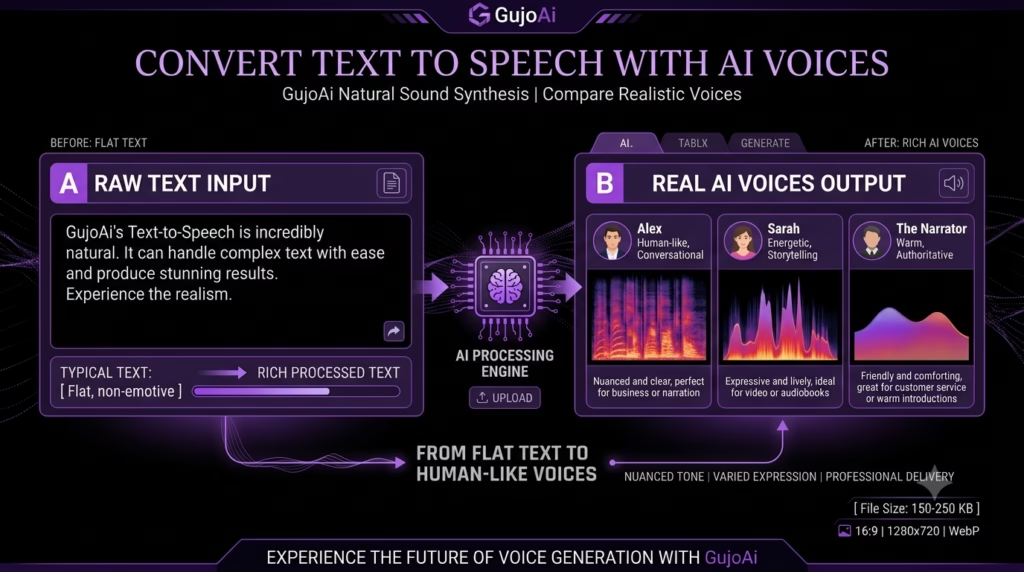
How to Convert Text to Speech With AI Voices
You can convert text to speech with AI by pasting a prepared script into a text-to-voice generator, choosing a suitable voice and language, adjusting delivery options and generating an audio preview. Natural results begin with writing for the ear: short sentences, clear punctuation, correct names and intentional pauses.
What Is AI Text to Speech?
The first output should be reviewed for pronunciation, speed, emphasis and tone before it is added to a video or published. GujoAi includes a browser-based Text to Speech workspace intended for anime scenes, reels, videos and creator narration. This guide shows you how AI text to speech works, how to prepare the script, choose a voice responsibly and improve an output that sounds rushed or robotic.
AI text to speech is technology that converts written words into spoken audio using a synthetic voice. It is often shortened to TTS. The user supplies text, and the system produces a voice recording that follows the wording and selected delivery controls.
Older computer voices often sounded flat because they joined small recorded units or followed limited pronunciation rules. Modern systems can model longer speech patterns and generate smoother rhythm, intonation and expression. Quality varies by language, voice and script.
Text to speech is not the same as speech to text. TTS creates audio from writing; speech recognition turns spoken audio into writing. Voice cloning is another separate capability: it attempts to reproduce a particular person’s voice from recordings. A normal stock TTS voice does not need to imitate a real individual.
Creators use text-to-speech voices for:
- Short-video narration and social reels
- Explainer videos and product demonstrations
- Character dialogue and anime-inspired scenes
- Draft voiceovers before hiring a narrator
- Course lessons, presentations and reading support
- Podcast intros, announcements and audio articles
- Multiple language or tone tests where supported
TTS can save recording time, but it does not automatically make a script engaging. The words, pacing, visual timing and final audio mix still need a creator’s attention.
How Does a Text-to-Voice Generator Work?
The system first analyses the script. It interprets words, punctuation, sentence structure, abbreviations and sometimes context. It then predicts pronunciation, rhythm, stress and intonation before synthesising an audio waveform.
Why does punctuation affect the voice?
A full stop signals a stronger pause than a comma. A question mark can change the end of a sentence. Dashes, line breaks and ellipses may create pauses, but different tools handle them differently.
Poor punctuation can make a high-quality voice sound unnatural. A long sentence with several ideas may be read too quickly because the system cannot find a clear breathing point.
Why are names and abbreviations difficult?
One spelling can have several pronunciations. “Lead” changes depending on meaning. Brand names, anime character names, technical terms, URLs and initialisms may be guessed incorrectly.
Some platforms offer a pronunciation dictionary or phonetic spelling. When they do not, rewrite the difficult word in a way the voice understands, then listen carefully to make sure the visible captions still use the correct spelling.
What do voice controls change?
Available controls may include language, accent, speaking rate, pitch, tone, emotion, pauses and emphasis. Extreme settings can introduce artefacts. Start near the default and change one control at a time.
The generated audio is a performance of your script, not an independent fact checker. It will confidently read incorrect facts, unsafe instructions and spelling mistakes exactly as supplied.
How Should You Prepare a Script for AI Speech?
Write for listening rather than copying a dense blog paragraph into the generator.
Use short, speakable sentences
Aim for one main idea per sentence. Read the script aloud yourself. If you run out of breath or lose the point, split it.
Written version:
Our new workflow helps creators generate images, remove backgrounds, enhance drawings and prepare social assets quickly, which means they can test more ideas while still keeping control of the final creative direction.
Spoken version:
Create the first visual. Remove its background. Improve the final details. You can test ideas faster while keeping control of the finished work.
The second version gives the voice natural stopping points.
Mark pronunciation before generation
List names, numbers, acronyms and specialised words. Decide whether “2026” should be read as “twenty twenty-six” or “two thousand and twenty-six.” Write “AI” in a form that produces the intended letters rather than a single word.
Add intentional pauses
Use punctuation or supported pause controls between a headline and explanation, before a key point and after a question. Do not add commas everywhere; too many pauses make the voice sound hesitant.
Match the script to the platform
A short reel needs an immediate opening and compact sentences. A tutorial can use calm pacing and signposts such as “First,” “Next” and “Finally.” A character scene needs emotion and dialogue that sounds natural for the character.
Remove text that should not be spoken
Navigation labels, image captions, legal notes and URLs may enter the script when copying from a webpage. Clean the text first. Write a web address phonetically only when listeners genuinely need it.
Time a sample before producing the full project. Reading speed varies, so word count alone cannot guarantee the final duration.
How Do You Convert Text to Speech Step by Step?
Finish the script’s main edit before generating several voice versions.
- Define the listener and purpose. Decide whether the audio is a reel, tutorial, character scene, presentation or accessibility option.
- Clean the script. Use short sentences, correct punctuation and clear spoken wording.
- Mark difficult terms. Note names, acronyms, dates, numbers and words with multiple pronunciations.
- Open a TTS workspace. The GujoAi Text to Speech tool is designed around script entry, voice style, tone and speed controls.
- Paste a short test section. Start with two or three representative sentences rather than the whole script.
- Choose a suitable voice. Match age range, tone, language and delivery to the content without impersonating a real person.
- Set a moderate speed. Generate near the default before making large adjustments.
- Create the preview. Listen with headphones and normal speakers if possible.
- Review the transcript line by line. Note wrong pronunciation, rushed phrases, flat emphasis and awkward pauses.
- Fix the script first. Adjust punctuation, sentence length or phonetic hints before heavily changing the voice.
- Generate the final sections. Produce manageable blocks so one mistake does not require rebuilding everything.
- Edit and mix the audio. Trim silence, balance volume and place it against music or video without covering important words.
- Add captions or a transcript. Audio should not be the only way to receive essential information.
How Can You Make AI Speech Sound More Natural?
Most unnatural output is easier to fix through the script than by forcing dramatic voice settings.
Break long sentences
Give each sentence one job. A TTS voice cannot breathe or plan emphasis exactly like a human actor, so clear structure matters.
Use contractions where the tone allows
“You’ll” and “it’s” can sound more conversational than “you will” and “it is.” For formal lessons, full forms may be more suitable. Match the audience rather than applying one rule everywhere.
Put key information in a strong position
Place important words near the start or end of a sentence. If the model supports emphasis controls, use them sparingly. Excess emphasis makes every line sound like an advertisement.
Correct pronunciation with controlled spelling
Test one difficult term in isolation. A phonetic spelling can help the audio, but keep the proper spelling in captions. If the platform offers a pronunciation lexicon, use that instead of changing the visible script.
Match speed to complexity
Simple promotional lines can be quicker than a technical explanation. Slow down around unfamiliar names, numbers or instructions. Do not reduce speed so much that syllables become stretched.
Use silence as part of the performance
Short pauses help a title, scene change or key instruction land. Trim accidental long gaps, but do not remove every breath-sized space. Continuous speech is tiring to follow.
Mix the final audio carefully
Background music should sit below narration. Listen on a phone speaker because many users will not use headphones. Normalise levels across separately generated sections so the volume does not jump.
If the voice still feels wrong after script edits, choose another stock voice. Do not clone a real narrator, celebrity, colleague or family member without clear permission.
AI Text to Speech vs Human Voiceover
| Factor | AI text to speech | Human voiceover |
|---|---|---|
| Speed | Fast for drafts and revisions | Requires recording time |
| Cost | Often credit or usage based | Depends on talent, studio and rights |
| Pronunciation | May need written guidance | A narrator can take direction |
| Emotion | Improving but can feel limited | Strong nuanced performance |
| Consistency | Useful for repeated informational clips | Can vary across recording sessions |
| Best use | Drafts, explainers, updates and prototypes | Brand films, drama and emotionally complex work |
Use AI for fast iterations, internal previews, routine explainers or content where a neutral voice is acceptable. Use a human narrator when trust, personality, comedy, dramatic timing or emotional performance is central.
A hybrid workflow can use TTS to test timing before the final recording. This helps the editor plan visuals and lets the human narrator see the intended duration.
Licensing matters for both methods. Check whether the synthetic voice can be used commercially and whether there are restrictions on advertising, political content or sensitive uses. For a human narrator, agree on usage, duration, territory and editing rights.
What Uses, Accessibility Rules and Mistakes Matter?
TTS can support people who prefer listening, struggle with small text or want to review content while doing another task. It does not make media fully accessible by itself.
Provide captions for video and a transcript for audio-only content. The W3C media accessibility guidance explains that captions give people who are Deaf or hard of hearing a text version of speech and meaningful non-speech audio. A transcript also helps search, reference and users who process written information better.
Avoid these mistakes:
- Pasting long written paragraphs without editing for speech
- Skipping pronunciation checks for names and numbers
- Choosing a voice that conflicts with the subject or audience
- Making speed or emotion settings extreme
- Publishing without listening from start to finish
- Mixing music louder than the narration
- Using synthetic audio without captions or a transcript
- Cloning or imitating an identifiable voice without consent
- Creating deceptive impersonation, fake evidence or scam calls
- Assuming a “free” voice has unrestricted commercial rights
Voice cloning carries greater identity risk than normal stock TTS. The FTC overview of AI voice-cloning risks discusses harms including fraud and misuse. Use fictional or licensed voices and disclose synthetic audio when it could reasonably mislead listeners.
For anime-inspired creator work, build an original character voice direction such as “bright, quick and curious” rather than imitating a known performer or licensed character.
Frequently Asked Questions
How do I convert text to speech with AI?
Paste a cleaned, speakable script into an AI text-to-speech tool, choose a voice and generate a short preview. Correct pronunciation, pauses, speed and emphasis before creating the final audio.
Is AI text to speech free?
Some platforms offer limited free characters, minutes, previews or welcome credits. Check download quality, commercial use, voice licensing and usage limits before choosing a free text-to-speech service.
How can I make text to speech sound natural?
Use short sentences, correct punctuation, intentional pauses and phonetic guidance for difficult words. Start with moderate voice settings and fix the script before making extreme speed or emotion changes.
Can I use AI text to speech for YouTube videos?
You can if the platform’s current licence allows your intended commercial use and the content follows YouTube’s policies. Review every line, add captions and disclose synthetic audio when it could mislead viewers.
Is AI text to speech the same as voice cloning?
No. Standard TTS reads text with a synthetic or licensed stock voice, while voice cloning attempts to reproduce an identifiable person’s voice. Cloning requires clear consent and carries higher legal and ethical risk.
Ready to create something remarkable?
To convert text to speech with AI, prepare the script for listening, test a short section and review every pronunciation and pause before publishing. Natural voiceover comes from good writing and careful editing, not only from choosing a voice. Create a free GujoAi account for 10 welcome credits and use Text to Speech after live voice generation and export have been enabled and verified.