
Ghibli Prompt Builder
Free ghibli prompt builder guide: craft Ghibli-style AI art prompts with templates, negative prompts, aspect ratios and original examples. Try it now.
“Ghibli style” is the most typed and most botched prompt in AI art. Everyone wants that soft, hand-painted warmth. Most people get glossy generic anime instead. The difference is structure. This ghibli prompt builder breaks a great prompt into parts (subject, setting, texture, light, mood, and what to exclude) so every image you generate lands closer to the look in your head.
Use the builder below, then steal the templates, negative prompts, and original example prompts in the guide. Everything on this page is free, and the interactive builder will be free with no signup when it ships, so bookmark this page and come back.
How the Ghibli Prompt Builder Works
The planned tool assembles your prompt from guided choices instead of a blank text box:
- Subject picker: character, creature, landscape, interior, or food scene
- Setting options: countryside, seaside town, forest, sky and clouds, cozy interior
- Style tags: watercolor, gouache, hand-painted cel look, soft brushwork (applied automatically)
- Lighting and mood: golden hour, morning mist, rainy afternoon, starry night, each with matching color language
- Negative prompt builder: one click to exclude the digital-anime artifacts that ruin the look
- Aspect ratio presets: 16:9 landscapes, 9:16 phone wallpapers, 1:1 profile pictures, 3:4 portraits
- Copy button: one click to grab the finished prompt for your image tool of choice
Until it ships, the anatomy section below is the same system on paper. Follow it once and you will never write “ghibli style pls” again.
The Anatomy of a Great Ghibli-Style Prompt
Weak prompts name the vibe. Strong prompts direct every visual decision. Build yours in this order:
- Subject, specific. Not “a girl” but “a young girl with braided hair carrying a wicker basket.” Specificity is free quality.
- Action or moment. “Running through tall grass,” “sitting by a rain-streaked window.” Still images need implied motion.
- Setting with texture. “Sunlit rice fields,” “a moss-covered stone bridge.” Name materials: wood, clay, stone, cloth.
- Style tags. This is the non-negotiable core: “hand-painted animation still, watercolor texture, soft brushstrokes, gouache background art.” Without texture words, models default to slick digital anime.
- Lighting. “Warm golden-hour light,” “soft overcast daylight,” “lantern glow at dusk.” Light does half the emotional work.
- Color language. “Muted natural palette, soft greens and warm creams,” or “pastel sky tones.” Tell the model which colors to love.
- Mood. “Peaceful,” “nostalgic,” “quiet wonder.” One word is enough.
- Quality closers. “Highly detailed background, rich environmental detail.” Ghibli frames are dense with small things: grass blades, laundry lines, cats.
Example, assembled: “Hand-painted animation still, a young girl with braided hair running through tall summer grass, watercolor texture, soft brushstrokes, warm golden-hour light, muted greens and warm creams, distant hills and drifting clouds, peaceful nostalgic mood, highly detailed background.”
Copy-Paste Ghibli Prompt Templates
Original templates. Fill the brackets, keep the structure:
Countryside landscape:
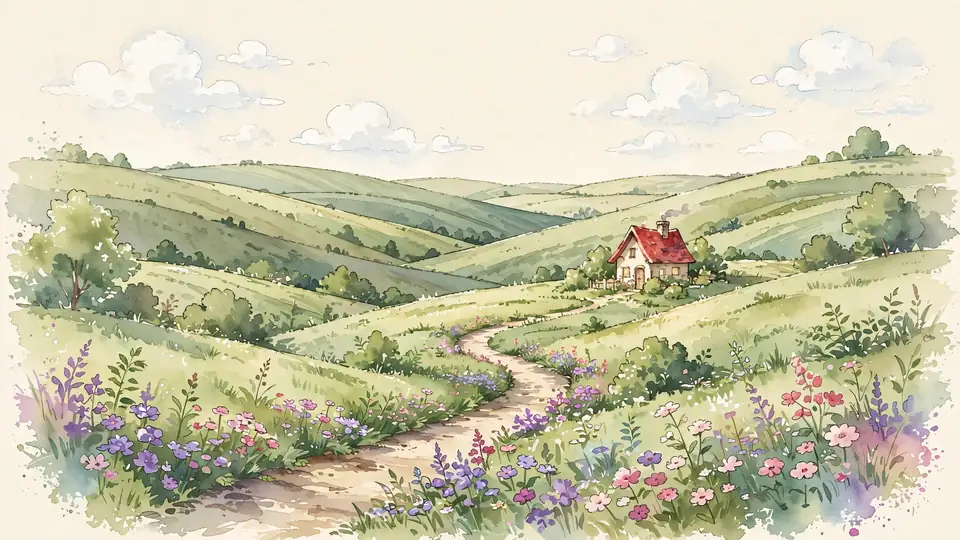
“Hand-painted animation still, [rolling hills / rice terraces / flower meadow] under [morning mist / golden afternoon light], watercolor texture, soft brushstrokes, a [tiny cottage / lone tree / winding path] in the middle distance, muted natural greens and warm creams, drifting clouds, peaceful nostalgic mood, rich background detail”
Character portrait:
“Hand-painted anime portrait, [a kind-eyed elderly shopkeeper / a curious child with windblown hair], [wearing a patched apron / holding a paper windmill], soft window light, watercolor skin shading, detailed clothing folds, blurred [bookshop / garden] background, warm and gentle mood”
Cozy food scene:
“Hand-painted animation still, a steaming bowl of [ramen / curry rice] on a worn wooden table, visible steam curls, ceramic texture, cozy kitchen with hanging dried herbs, warm lantern light, playful small details like a cat paw at the table edge, appetizing and heartwarming”
Sky and clouds:
“Hand-painted animation still, vast cumulus clouds over [a seaside town / green valleys], a [small airship / flock of birds] crossing the sky, brilliant but soft daylight, layered cloud depth, sense of quiet adventure, watercolor texture”
Rainy mood piece:
“Hand-painted animation still, [a girl with a red umbrella / a boy at a train window] in gentle rain, rain-streaked glass, reflections on wet stone, muted blue-grey palette with one warm light source, bittersweet calm, soft brushwork”
Swap one bracket at a time when iterating. Changing a single element per generation teaches you what each tag actually does.
Negative Prompts: What to Exclude
This is the step everyone skips and the reason most “Ghibli style” outputs look wrong. Models love sharp digital anime rendering, neon saturation, and plastic textures. Tell them no:
Universal negative prompt (copy-paste):
“photorealistic, 3D render, CGI, glossy, plastic texture, neon colors, oversaturated, sharp digital anime, harsh outlines, blurry background, low detail, watermark, text, logo”
Add situational lines as needed: “dark horror mood” when you want daylight warmth, “cyberpunk” when the model sneaks in neon, “deformed hands” for character close-ups (an old problem, still worth excluding).
If your tool has no negative prompt field, fold the exclusions into the main prompt instead: “soft matte textures, no neon colors, no glossy 3D look.”
Aspect Ratios and Composition for Ghibli-Style Art
Ratio changes the painting, not just the crop:
- 16:9 – wide landscapes and desktop wallpapers. The classic Ghibli establishing shot.
- 9:16 – vertical phone wallpapers. Works best with a strong vertical element: a tree, a tower, a girl looking up at the sky.
- 1:1 – profile pictures and social posts. Center the subject, keep the background simple but textured.
- 3:4 – character portraits with environmental context. Room for the person and the world behind them.
- 3:2 – horizontal illustration spreads, closest to a film still.
Composition tip from the films: put the horizon high or low, never dead center, and leave “breathing room” in the sky. Ghibli frames are full of air. Crowded prompts make crowded images, so describe three to five elements, not fifteen.
Prompt Recipes by Scene Type
Ready-made original prompts. Copy, tweak, generate:
Forest spirit encounter:
“Hand-painted animation still, a small round forest spirit with leaf-like ears peeking from behind a mossy tree root, dappled sunlight through dense canopy, floating dust motes, deep greens with warm light shafts, childlike wonder, watercolor texture, rich forest detail”
Seaside town morning:
“Hand-painted animation still, a pastel seaside town on cliffs at morning, fishing boats in a calm harbor, laundry lines between houses, seagulls over turquoise water, soft morning haze, cheerful nostalgic mood, detailed background”
Night train reverie:
“Hand-painted animation still, a lone passenger silhouette on a night train crossing water, reflections of stars on black water, deep indigo and soft gold palette, quiet melancholy, glowing windows, watercolor texture”
Bakery interior:
“Hand-painted animation still, a cozy village bakery interior, wooden shelves of crusty bread, flour dust in sunbeams from a round window, a cat asleep on a flour sack, warm cream and honey tones, comforting and nostalgic”
Each of these is original, no film scenes, no named characters. That is the line to hold: inspired by the aesthetic, never copying the art.
Turning Photos Into Ghibli-Style Art
Image-to-image is the fastest route to a personal Ghibli portrait. How to prompt it:
- Describe the transformation, not just the style. “Transform this photo into a hand-painted animation still, watercolor texture, soft brushstrokes, keep the same pose and composition.”
- Soften the specifics. “Gentle idealized features, warm natural palette” guides the model away from photorealistic leftovers.
- Rebuild the background. “Replace the background with a sunlit meadow and drifting clouds” gets you further than hoping the model invents one.
- Keep expectations honest. Faces change. That is the tradeoff. Aim for vibe likeness, not portrait accuracy.
What not to do: uploading other artists’ work or film stills and filtering them. Transform your own photos, or generate from scratch.
A Note on Originality and Studio Ghibli
Clear statement: this site is fan-made and not affiliated with Studio Ghibli in any way. The builder teaches a painting style, not a copying machine.
That distinction matters creatively too. Prompts that say “Totoro in a field” produce knockoffs. Prompts that say “a round forest spirit with leaf ears in a misty grove” produce something that is yours. The aesthetic (hand-painted texture, natural palettes, dense backgrounds, quiet moments) is a language. Speak it with your own sentences.
If you love the films, the best tribute is original art in the spirit of them. Our Studio Ghibli Fest 2026 guide covers the official celebration, the best Studio Ghibli movies list is there when you need a rewatch order, and where to watch Studio Ghibli movies points you to legal streaming options.
Where to Use Your Prompts
The templates are written tool-agnostic, but a few notes per platform:
- Midjourney: append aspect flags like –ar 16:9, and use –style raw if the default look is too glossy. The –niji models lean anime, which helps or hurts depending on your texture words.
- Stable Diffusion: the negative prompt field is where this guide pays off most. Paste the universal negative prompt every time.
- Chat-style generators: upload a reference for image-to-image, then paste the transformation wording from the photo section.
- Phone apps: shorter prompts work better. Keep subject, three style tags, lighting, and mood. Drop the rest.
Generate in batches of four to six per prompt. Brushwork texture and background density vary between generations, so pick the best and iterate on that one. And when you make something you love, our anime pfp ideas page has sizing tips for turning it into a profile picture, or browse Studio Ghibli art inspiration for more style direction.
Frequently Asked Questions
What does the ghibli prompt builder do?
It walks you through building a structured AI art prompt for Ghibli-style imagery: subject, setting, style tags, lighting, mood, and negative prompts. The result is a copy-paste prompt tuned for that soft, hand-painted look.
Is this affiliated with Studio Ghibli?
No. GujoAnimes is a fan-made site with no connection to Studio Ghibli. This tool teaches prompt structure for creating original art inspired by the general aesthetic, not for copying any film, character, or artwork.
Which AI tools do these prompts work with?
The templates are written to work broadly across Midjourney, Stable Diffusion, DALL-E style tools, and similar image models. Adjust aspect-ratio flags to match your tool’s syntax.
Why do my Ghibli-style prompts keep looking like generic anime?
Usually two reasons: missing texture words (watercolor, gouache, hand-painted) and missing negative prompts. The anatomy section above fixes both.
Can I turn my own photos into Ghibli-style art?
Yes with image-to-image features. The photo section above covers prompt wording for photo transformation, plus what to avoid.
Is it okay to sell art made with these prompts?
That depends on the AI tool’s terms and your local law, and you should avoid anything that reproduces actual Ghibli characters or scenes. Keep your creations original and check your generator’s commercial-use policy.
Is the builder free?
Yes. The guide, templates, and example prompts on this page are free, and the interactive builder tool will be free when it ships.
GujoAnimes is a fan-made site, not affiliated with any anime studio or rights holder.